Wednesday, March 13, 2013

Adios Google Reader!

"We launched Google Reader in 2005 in an effort to make it easy for people to discover and keep tabs on their favorite websites. While the product has a loyal following, over the years usage has declined. So, on July 1, 2013, we will retire Google Reader. Users and developers interested in RSS alternatives can export their data, including their subscriptions, with Google Takeout over the course of the next four months." -- via Google Blog

I'm not surprised, but it looks like google reader meets its inevitable end. Since google reader gives users the ability to friend, follow and share stories with others, I guess this means the end of Google Friend Connect (GFC) too?!!

Thankfully I saw this coming awhile ago and started using Bloglovin to follow all my favorite blogs. I actually imported all the blogs I followed via google reader into Bloglovin which made the transition really simple.

I plan to post a tutorial either tonight or tomorrow on how to do this. But in the mean time, you can follow me on Bloglovin here:

Follow on Bloglovin

Tuesday, March 12, 2013

For Bloggers // Amazing, must-have App!!

I am super excited to have this opportunity to review my new favorite app!!!


Before I tell you how amazing it is, I must admit, I was initially hesitant to purchase this app when Dana from the Wonder Forest first launched it. Not because I didn't think it was awesome, because it really is, only because I really didn't think I would use it. And the only reason I say that is because of my prior failed attempts to blog via my iPad or iPhone...! 

As I am sure all of you agree, the Blogger app for iPhone/iPad sucks balls (can I say that here?), so I don't even attempt to blog via that app. I have also tried to blog on my iPad before via google chrome,  and it has been somewhat successful - but only if I don't want to go back and add text to previously written paragraphs, etc. Needless to say, regardless of what I do or don't do, the outcome was me cursing at my iPad because I lost a post or couldn't save... you get the idea! And because of that, I gave up altogether on the idea of "blogging on the go."

Working two jobs, six days a week, soon seven for the month of April, means life is super hectic right now and I don't have tons of free time to sit on my laptop. So the idea of being able to start a blog posts either on my iPhone or my iPad, even publish them if I wanted, really appealed to me. I really don't like to bring my personal blog up on my work computer, so being able to jot a few ideas on my iPhone right into a draft post is amazing and super convenient. 

Anyways ... I am obviously writing about this awesome app because I caved, and purchased it last week. I am honestly in love with "BlogGo." Dana has done an incredible job, I am beyond amazed with her skills. Not only does she design beautiful blog templates, she also knows how to design an app!

BlogGo lets you post, edit and publish to your blogger account. The user interface is also very simple to use! If you want to learn more about the app, Dana has created a website for it with much more details and a youtube video on how to use it! I recommend watching the youtube video!

To learn more about this awesome app, head on over to www.bloggo.ca!

The app is also on sale for $1.99 -- such a deal (I paid $2.99 for it).

ps. The first half of this post was created using this app! 

Monday, March 11, 2013

400 Followers...!

Over the weekend, I reached 400 GFC followers!!! I just wanted to say thank you to all my lovely readers for helping me accomplish this. Along the way, I have met some incredible ladies and I am so grateful to all of you! 

I also wanted to give a special shout-out to my 400th follower ...


... and my newest sponsor >>> Heather from Fiery and Opinionated.

If you aren't already following Heather, please head over to her blog and say hello!

Happy Monday! Hope everyone has a fabulous week!! =]

For Bloggers // Add a Social Feed to your Blog.

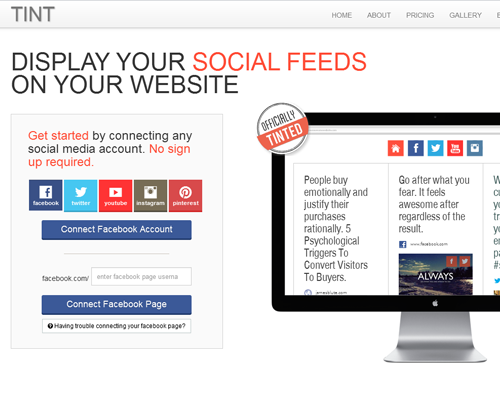
I just discovered this fabulous new website, Tint via Fashion, Beauty, etc. It's been around for awhile, but its new to me (and maybe to you too)! I thought it was a neat feature to add to my blog, so I wanted to share some information with you all about this fabulous service.

Tint is a simple tool that lets you create beautiful and engaging social hubs on your blog. For example, you can aggregate from your blog's facebook page feed, twitter, instagram, pinterest and much more. It's also free to sign-up! 


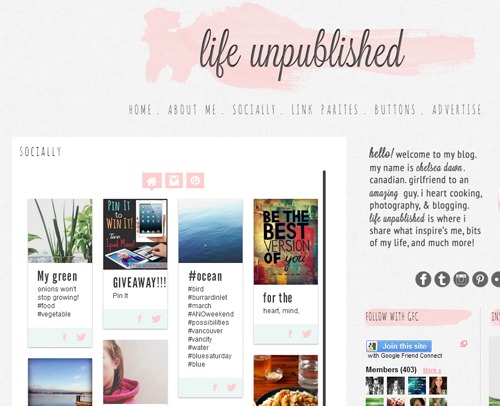
If you want to see it in action, you can check out my "socially" page on my blog. It's also a great way to increase traffic to your social media sites. 

How to add Tint to your blogger blog:

1. Visit the Tint website: http://www.tintup.com

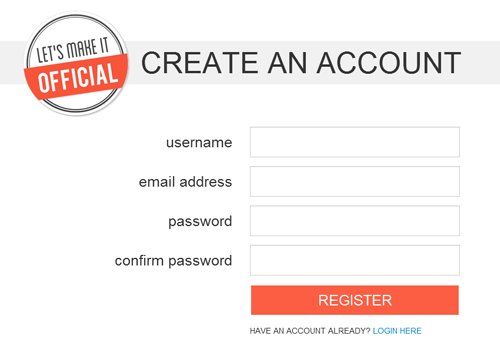
2. Click the "Sign Up" link and create an account. 


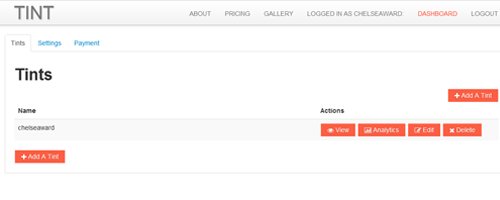
3. After creating an account, you will want to "add a tint." 


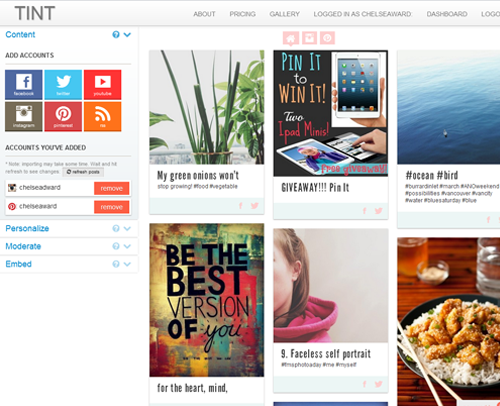
4. Give your tint a name, such as your blog name, and connect your social networks. After connecting your social networks, you can can personalize and moderate your social feed. I change the color of the social icons to the same pink color to match my blog.


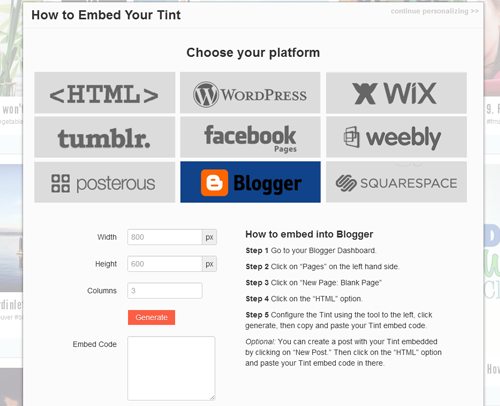
5. Once you are ready, select "embed," choose your platform and configure how your want your feed to appear on your blog page using the tint tool. I created a new page on my blog just for this social feed; I also spent a few minutes playing around with this step because I wanted to see how it looked on my blog. For example, I only used a height of 1000 px, width of 550 px and 4 columns.


6. Copy and paste the code into you're blog page's html, save and publish! 


What do you think about this tool? Will you add it to your blog? Hopefully I haven't confused you too much! If you have any questions, please don't hesitate to ask me!